
Youth Cyber Counselling Center
How they can help
Online counselling by chat, text or message board if calling feels difficult.
- Languages
- 한국어
LINKRIGHTS
Find out about your rights at school, at work, in health, visas and daily life in plain language, and find where you can get help.
You could ask something like this
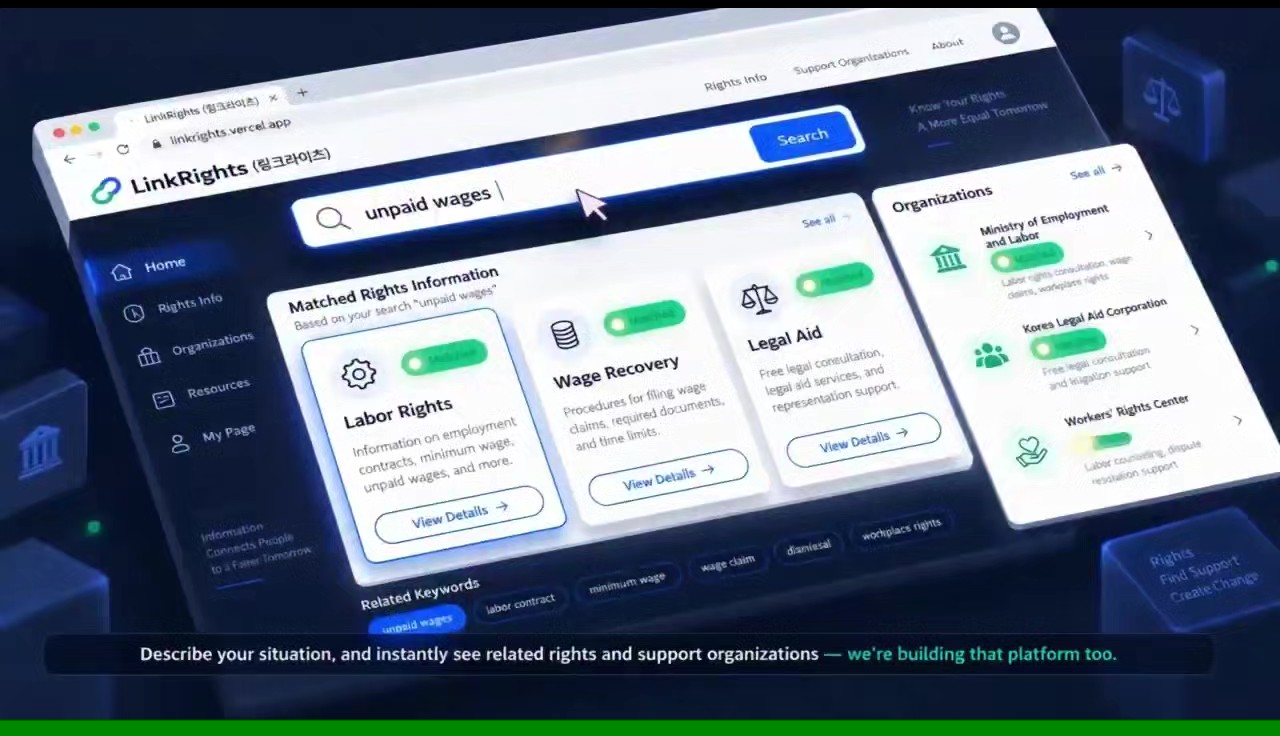
Start from the place that fits you.
Look up rights information about school, work, health, visas and more, and ask the AI about your situation.
Join our university student mentoring to talk with migrant-background youth and share rights information in easy words.
Schools and organisations can discuss rights education and programme cooperation with LINKRIGHTS.
Pick the area you want to know about.
The information exists. It is just scattered and hard to read.
Work, education, health and visa information sit on separate government websites, so you have to hunt for each piece.
Even when the problem is clear, finding out who handles it is a barrier in itself.
Legal phrasing is hard even for adults, and much harder while you are still learning Korean.
The rules exist, but nobody explains how they apply to the situation you are in right now.
Built so the AI does not make things up.
It answers only from rights information and organisations that LINKRIGHTS has reviewed and registered.
Organisation names and phone numbers come only from our registered list.
With no grounding it will not guess. It tells you who to ask instead.
If the situation looks urgent, emergency contacts are shown before any general answer.
Participant count as of 14 September 2026. Rights guides, organisations and languages are counted directly from what is published on this site.
Starting with the situations people ask about most.
Young people living in Korea can attend school regardless of nationality or visa status. How you enrol depends on your age and previous schooling.
Yes, if you meet the conditions. Health insurance greatly reduces what you pay at a hospital.
Being treated worse because of nationality, skin colour, language or religion is discrimination. You do not have to accept it, and you can file a complaint.
Yes. A written contract is the strongest proof that protects you. Always get your own copy and keep it.
You must be paid for the work you did. This is true even if you are young, not a Korean citizen, or never signed a contract.
통장과 휴대폰은 한국 생활의 기본입니다. 외국인등록증이 있으면 대부분 만들 수 있고, 미성년자는 보호자 동의가 필요할 수 있습니다.
One phone call is enough to start.
How they can help
Online counselling by chat, text or message board if calling feels difficult.
How they can help
Advice on unpaid wages, employment contracts and how to file a wage complaint.
How they can help
Multilingual advice on visa status, extensions and alien registration. Office visits are booked on HiKorea.
Rights become yours when you learn and practise them together.
Workshops built around real situations: part-time work, school, hospitals and visas, and what rights you have in each.
Mentors close in age talk through study, admissions and career worries: not giving answers, but finding options together.
Museums, performances and neighbourhood trips: shared activities that build practical knowledge and friendships.
The change we are trying to contribute to.
Helping migrant-background youth stay included in school and use their rights around education.
Narrowing the information gap so that nationality and language do not decide who gets help.
No. Anyone can use LINKRIGHTS right away without signing up. You don't need to give any personal information.
The LINKRIGHTS AI answers only based on rights information that we checked and registered in advance. If there is no basis, it does not guess. It honestly tells you that it cannot confirm.
No, please never type them. They are not needed for an answer, and we recommend leaving them out to protect your personal information.
Call 112 (crime) or 119 (emergency) right away. Contacting these numbers before using LINKRIGHTS is the fastest and safest way.